Product description
eufy NVR Security System S4Max



Seamless Live Cross-Camera Tracking
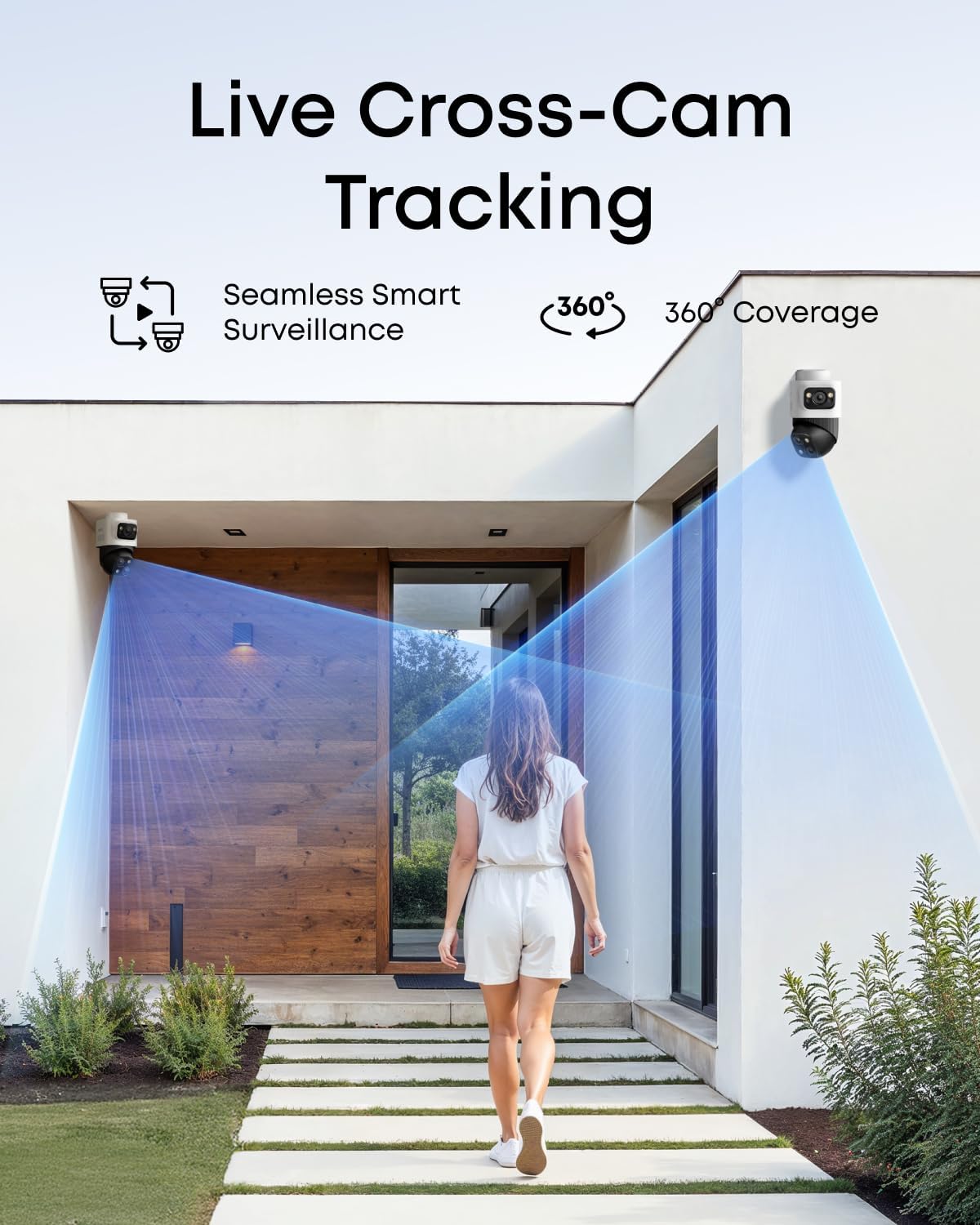
All cameras work in sync to track movement in real-time. When one camera reaches its limit, another takes over instantly, ensuring continuous, uninterrupted coverage-all under your control.
Seamless Live Cross-Camera Tracking
Auto-Framing Up to 164 ft Away
When the upper camera detects a subject, the lower PTZ camera locks on, automatically tracking and framing them with sharp, centered close-ups and 8x auto zoom-even from164 ft (50 m) away. Group Tracking: Automatically adjusts zoom to keep all subjects in frame, even if they move, until one exits the field of view
Auto-Framing Up to 164 ft Away
See the Full Picture and Close-Up Details All at Once
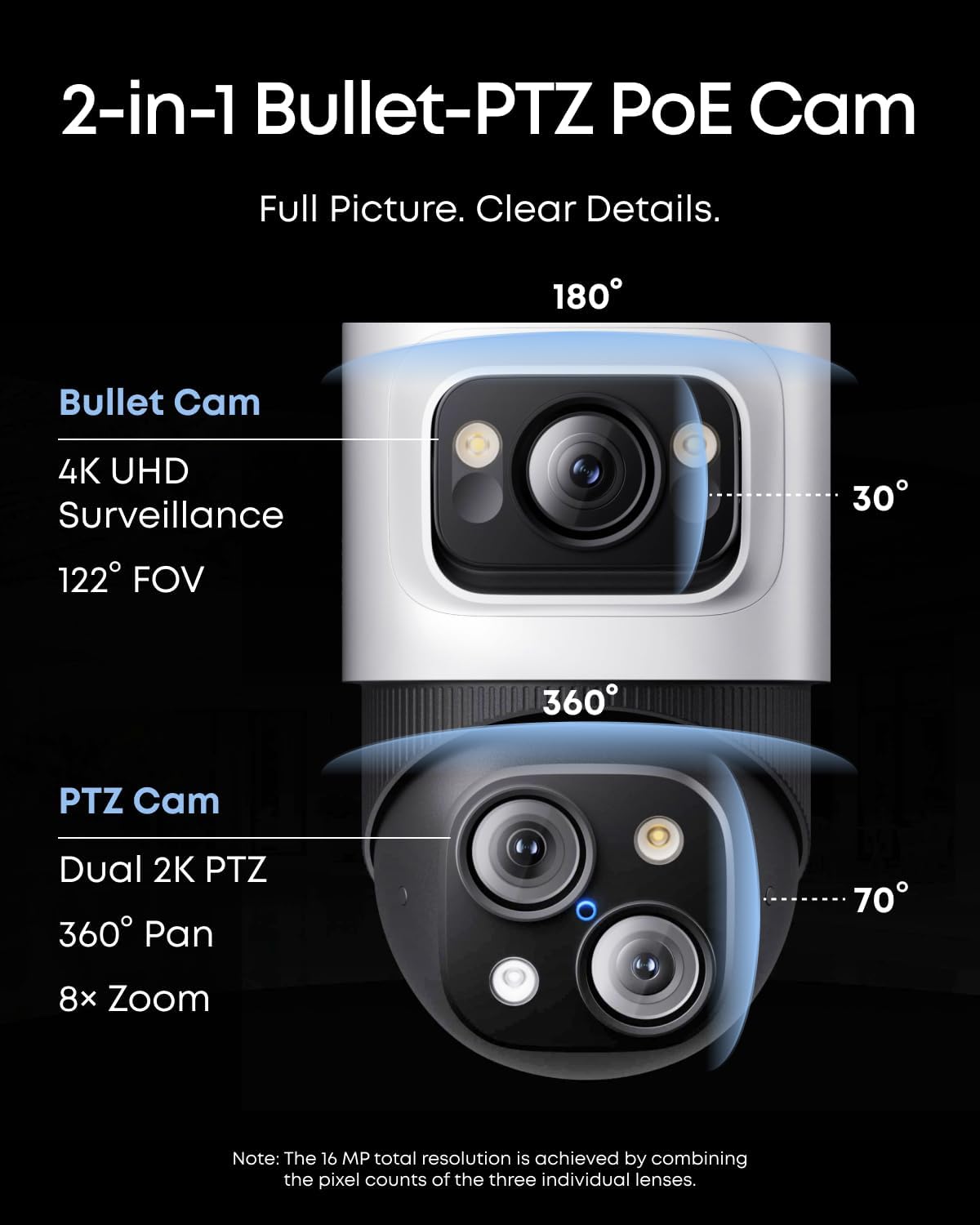
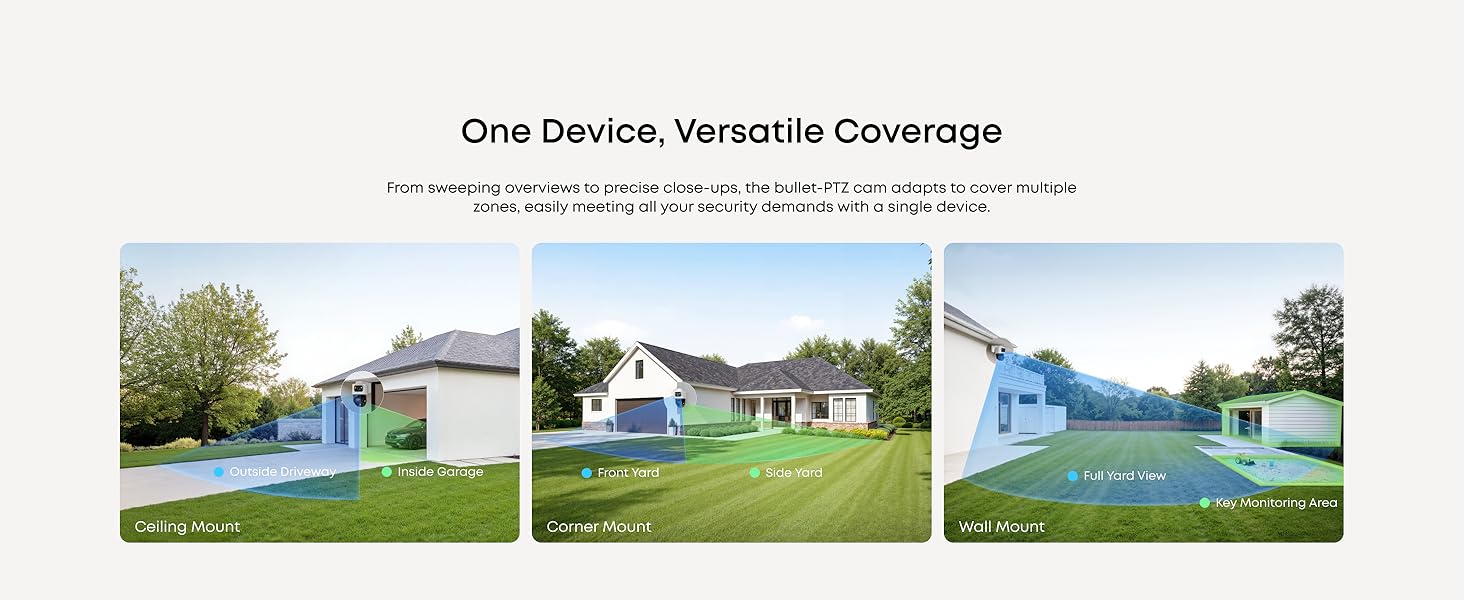
The upper 4K wide-angle camera provides a 122° fixed view of the entire scene, while the lower 2K PTZ camera pans 360° for complete coverage. Bullet-to-PTZ Tracking: When the bullet cam detects a subject, the PTZ locks on and precisely tracks it for continuous monitoring.
Dual View at Once
Local Al Agent
Industry-Leading NVR Security System with Local Al Agent that sees, thinks, and acts like a human to handle threats in real time.
Smart Video Search
Local Al Creates Proactive Security with Smart Alerts
The NVR's local Al agent sees, thinks, and acts like a human to deal with threats in real time. Differentiate between loved ones and strangers to only get the alerts you need.
Local AI Agent+ Smart Alerts
Smart Video Search
Instead of scrolling through all of your videos, instantly find what you're looking for by searching keywords.
Smart Video Search


Easily Expand Your Security
Start with 8-channel security and scale up to 16 channels when you're ready. Upgrade to 16 TB of storage at any time.

AI Noise Reduction
Communicate clearly with visitors thanks to our AI technology and a wind dome.

24/7 Recording with PoE
Keep watch at all hours with reliable PoE technology that streamlines setup in a single cable for power and data.

IP65 Weatherproof
IP65 resistance lets you monitor your property, rain or shine.
How many real-time streams can the NVR support at most? How many channels of real-time flow does the Bullet-PTZ occupy?
The NVR supports up to 16 channels. The Bullet-PTZ camera occupies 2 real-time streams, and up to 8 Bullet-PTZ cameras can be connected.
How do I use the NVR?
GUI (Display): Connect the HDMI to the display, you can control it via the display.
App: Download the latest version of the eufy app from the App Store or Google Play.
Web Portal: Please log in to eufy.com, then click Support > Security Web Portal.
How much storage space does the NVR have, and how many drive bays are there?
The NVR comes with a 3.5-inch drive bay. A 2 TB mechanical hard drive is included with the product, and you can upgrade this for up to 16 TB of storage.
Are eufyCam, SoloCam, eufy Video Doorbell, and eufy Sensor supported?
eufy Wi-Fi Module (T8709) is required for compatibility with wireless cameras, doorbells, and sensors.
How do I update the NVR firmware?
Automatic Update: Ensure NVR is connected to the eufy app. Updates are automatic.
Manual Update: Ensure NVR is online. Go to Settings > Firmware Update > Check for Updates.
USB Update: Download the firmware file from eufy website to update.
From the brand

At eufy we believe all great smart home products need to be thoughtfully built from the start. From whole-home security to smart cleaning solutions, eufy's technology brings you expert protection and deep cleaning that's tailored to your lifestyle and creates human-first technology that enlivens the lives of everyone around you.
Because care is what makes a house a home, everything we build is built with care for you.